How to create a help page with AI chat
Publish a branded help page for a Sell Whisper AI agent with articles, FAQs and AI chat, plus a shareable chat page. On every plan, with no code.
Do this in order
Open the help page editor
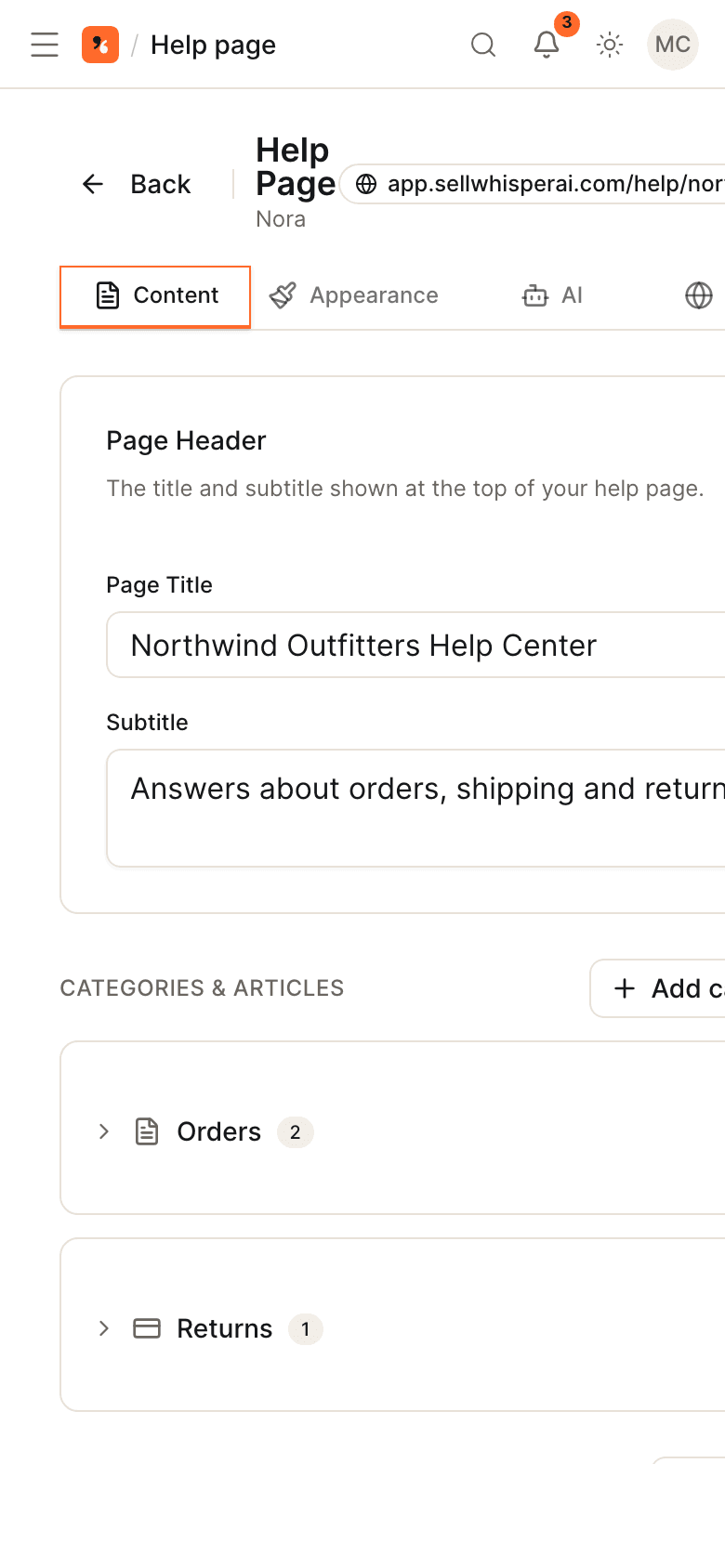
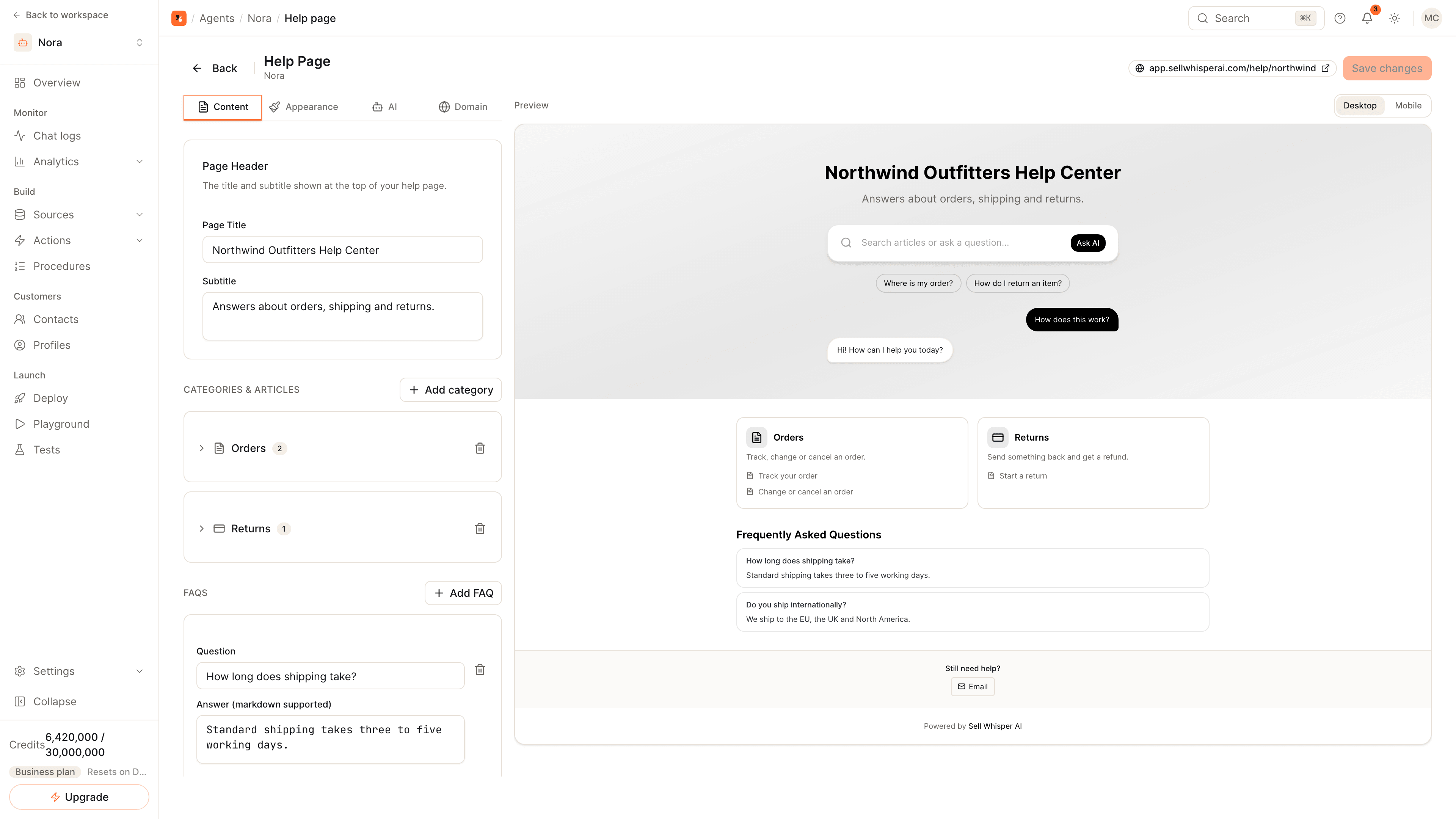
Open the agent, go to Deploy and click Manage on the Help Page card. The editor has four tabs, Content, Appearance, AI and Domain, beside a desktop and mobile preview. The help page is available on every plan, including Free.
Add categories, articles and FAQs
On the Content tab, set the page title and subtitle, add categories with articles written in markdown, and add FAQs. Suggested questions appear as chips under the search bar and open the chat when clicked.
Brand it and set the address
On Appearance, set your colors, logo and font. On Domain, choose a custom slug so the page lives at /help/ followed by your slug, then copy the URL.
Save, then share the chat page too
Click Save changes and open the URL. For a full-page chat without articles, click Manage on the Agent Chat Page card on Deploy: it is live at its own URL straight away, with its own colors, logo and opening greeting.
Two hosted pages, no code
| Page | What it is | Where it lives |
|---|---|---|
| Help page | Articles and FAQs in categories, a search bar, suggested questions and AI chat | /help/ followed by your slug |
| Agent chat page | A full-page conversation with the agent | /chat/ followed by the agent's ID |
Both are hosted by Sell Whisper AI and work on every plan. Link to them from your website footer, an email signature or a QR code.
What goes on the help page
- Categories and articles. Group articles by subject and write them in markdown.
- FAQs. Short questions and answers shown on the page.
- Suggested questions. Chips under the search bar; clicking one opens the chat with that question.
- AI chat. On the AI tab, turn the chat widget on, set its greeting and choose whether answers show their sources. You can also add a contact footer.
Articles and FAQs are for people to read. The chat answers from the agent's knowledge base, so add the same content under Sources when the agent should be able to quote it. See how to train an AI agent on your website.
What goes on the chat page
The chat page has its own Appearance, Content and Features tabs. Use it when you want a link that opens straight into a conversation. On Pro and above, its Powered by Sell Whisper AI badge can be turned off.
Related
- Help center channel page and agent page channel page.
- How to add an AI support agent to your website: put the same agent on your own pages.
- Ticket deflection.
Common questions
Is the help page separate from the knowledge base?
How many help pages can an agent have?
Can I remove the Sell Whisper AI badge from the chat page?
Get started
Put the steps into practice
Start free, no credit card required.